Recycling Your Old IT Equipment the Right Way
(Because “Delete” Doesn’t Mean Gone)

As part of its mission to advance oral healthcare through innovation, security, and collaboration, the Dental Integrators Association proudly features thought leadership contributed by its member organizations. Each article in this series offers practical insights, shared experiences, and timely strategies from those working at the intersection of IT and dentistry. Together, we are building a smarter, stronger community one idea at a time.
Thank you to Kota Technology for contributing this article to the Voices of Dental IT series. We appreciate their willingness to share perspective and experience with the DIA community.
This article was authored by Ryan Hansen, Owner, Kota Technology.
Every dental office I’ve ever walked into has the same closet. You know the one. It’s where old computers go to retire – a stack of dusty towers, a dead server or two, a pile of monitors, maybe a hard drive somebody pulled “just in case.” It feels harmless. It’s just old junk, right?
Here’s the problem: that closet isn’t clutter. It’s a liability. And when you finally do clean it out, how you get rid of that equipment matters a whole lot more than most people realize.
Let me explain why, and then walk you through doing it right. It’s not complicated. It just has to be deliberate.
It’s a HIPAA issue first, an environmental one second
When people talk about recycling IT gear, everybody’s mind jumps straight to the environmental angle – keep it out of the landfill, be a good citizen. That’s real, and we’ll get there. But for a dental practice, that’s not the headline.
The headline is data.
Every device that ever touched your practice management software is full of protected health information. Workstations, servers, your backup appliance – obviously. But it goes further than that. That copier sitting in the front office? Digital copiers have hard drives inside them, and they quietly store images of everything they’ve ever scanned, copied, or faxed. Same story with a lot of imaging equipment. ePHI hides in places you’d never think to look.
The second you retire one of these devices, the HIPAA Security Rule kicks in. There are specific requirements around the disposal of ePHI and the media it lives on (45 CFR 164.310(d)(2), if you want to look it up). Translation: you are legally on the hook for making sure that data is destroyed before that hardware ever leaves your control.
And “I deleted the files” does not count. Deleting a file doesn’t erase it – it just tells the computer it’s okay to write over that space someday. Until then, the data is sitting right there for anyone with free recovery software to grab. Donating an old computer to a school or to a staff member’s kid without properly wiping it first is the exact same mistake, just with a friendlier face.
If you want a cautionary tale: a health plan once returned a batch of leased copiers without wiping the drives. Those drives were loaded with patient information. That single oversight turned into a federal settlement north of a million dollars – over copiers nobody thought twice about.
The right way to do it
Okay, enough doom. Here’s the actual process.
Think of it as three steps, in order – and the order matters.
1. Destroy the data to a real standard.
“Wiping a drive” isn’t one thing. There’s a recognized standard for this called NIST 800-88, and it lays out three levels: Clear, Purge, and Destroy. For most retired equipment, a proper multi-pass wipe or physical destruction (shredding the drive) is the right call.
One important wrinkle: solid-state drives are not the same animal as the old spinning hard drives. You can’t degauss an SSD, and a standard wipe doesn’t always reach every cell. For SSDs you want a cryptographic erase or physical shredding. If you’re not sure what’s inside a device, assume the harder case and destroy it.
2. Document it.
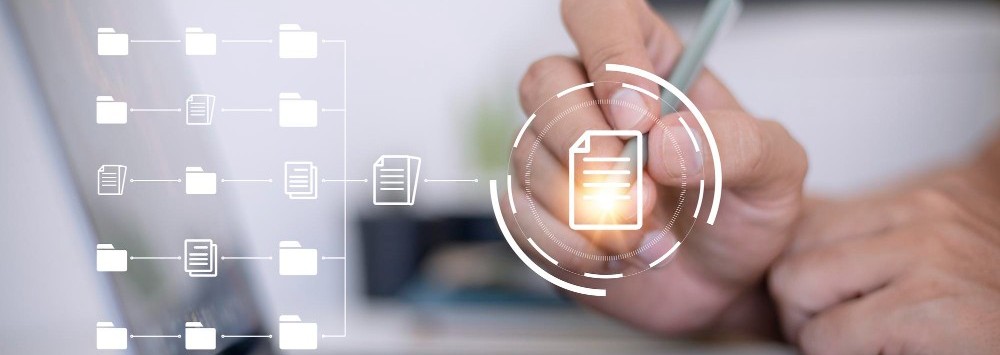
This is the step everybody skips, and it’s the one that saves you. For every device you retire, get a certificate of destruction that lists the serial numbers and how the data was destroyed. File it with your compliance records. If you’re ever audited, “trust me, we wiped it” is worth nothing. A signed certificate with serial numbers is worth everything.
3. NOW you recycle it.
Once the data is gone and documented, the hardware is just hardware – and this is finally where the environmental piece comes in. Don’t dumpster it. Old electronics are full of lead, mercury, and other things that have no business in a landfill, and plenty of states have made it illegal to toss them anyway.
Use a certified recycler – look for R2v3 or e-Stewards certification. Those certifications mean the recycler is held to a real standard for both data handling and environmental disposal, and a good one will hand you their own documentation on top of yours.
One trap to watch for
If you hand a recycler equipment that still has live drives in it – drives you haven’t destroyed yet – that recycler is now handling your patients’ PHI. Under HIPAA, that makes them a Business Associate, and you’d need a signed BAA in place before that gear ever leaves the building.
The cleaner move, and what I’d recommend, is to destroy the drives yourself first. If the hardware leaving your office has no recoverable data on it, the recycler never touches PHI, and you’ve taken the whole BAA question off the table. One less thing to manage.
The short version
Retiring old IT equipment isn’t a junk-removal task. It’s a data-destruction task that happens to end in recycling.
So: destroy the data to a standard, write down that you did it, and then recycle the empty hardware responsibly. Do those three things in that order and you’ve protected your patients, stayed on the right side of HIPAA, and kept a pile of toxic metal out of the ground.
Like I said – not complicated. Just deliberate.
And that closet? Go ahead and finally clean it out. You’ll feel great. Just do it the right way.
The Dental Integrators Association connects dental practices with experienced IT professionals who understand the unique requirements of dental technology, from practice management software to digital imaging systems.
